Work

What fixing it looks like.

We check your SEO and AI search and fix what’s in the way. Below are four projects, shown through the pieces we built for them: one weekly number in place of five dashboards, every application in one list, a member app that works without signal.

  1. 01 Conversation

    What we found, and what you know.
  2. 02 First principles

    What the product really is and does.
  3. 03 Ideal customer

    Who it is for, and what they want.
  4. 04 Path to a sale

    What to say first, and what closes.
  5. 05 Angles

    The messages worth testing.
  6. 06 Brand

    How it looks and sounds.
  7. 07 Go to market

    Launch, then learn from it.

Once we know where the gaps are, this is how we take a brand to market: who it is for, what they need to hear first, and how it should look and sound before anything is built.

Selected work

Names on request

01 / Product brand, US

We run the store, the creator outreach and the reporting, so the owner sees one weekly number instead of five dashboards.

  • Shopify store
  • Creator outreach
  • Weekly KPI report
  • Launch emails
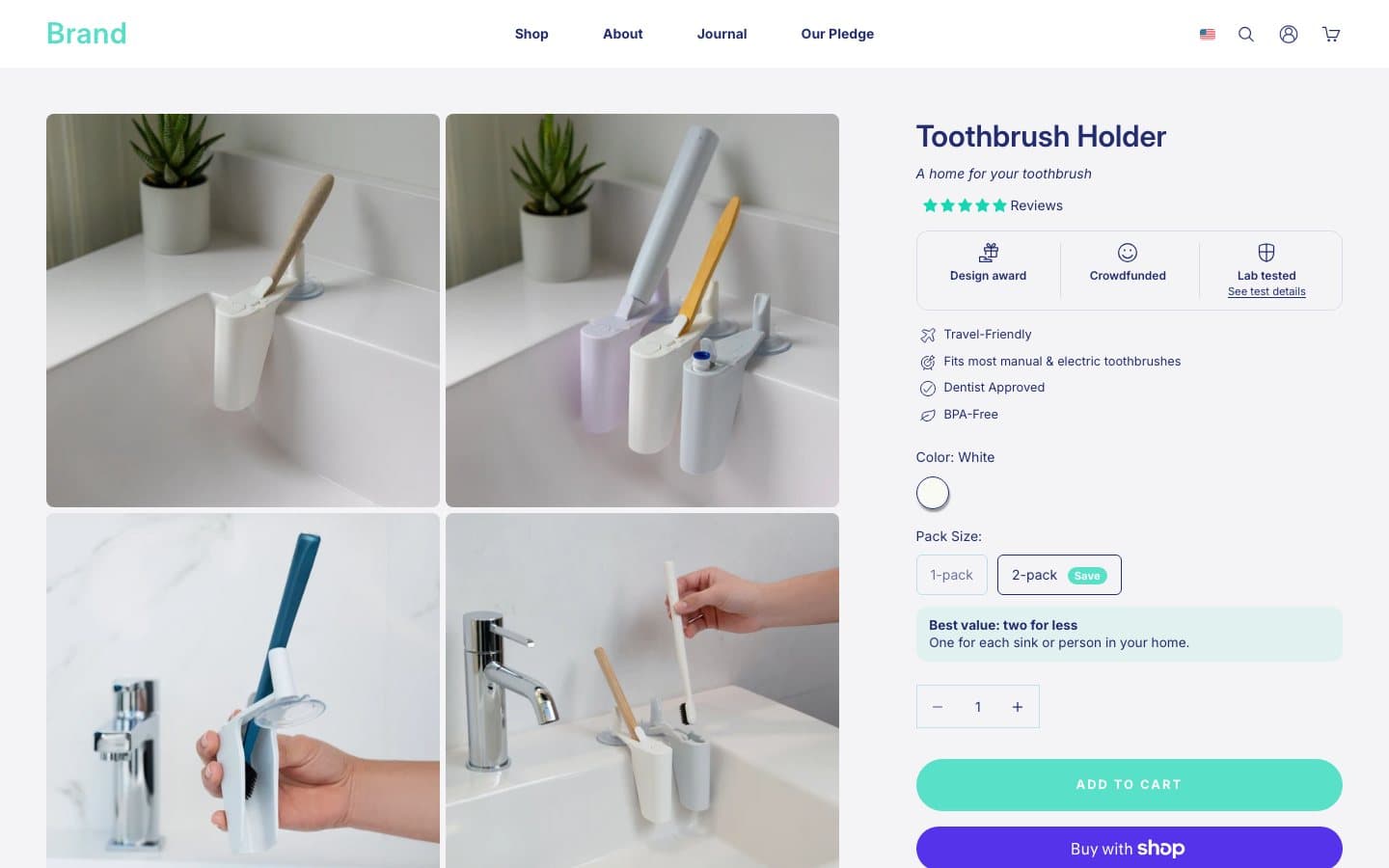
A product page for a wall-mounted toothbrush holder: four photos, a proof row, a 1-pack or 2-pack choice and an add to cart button

The product page, rebuilt around one buy box and a 2-pack that sells itself.

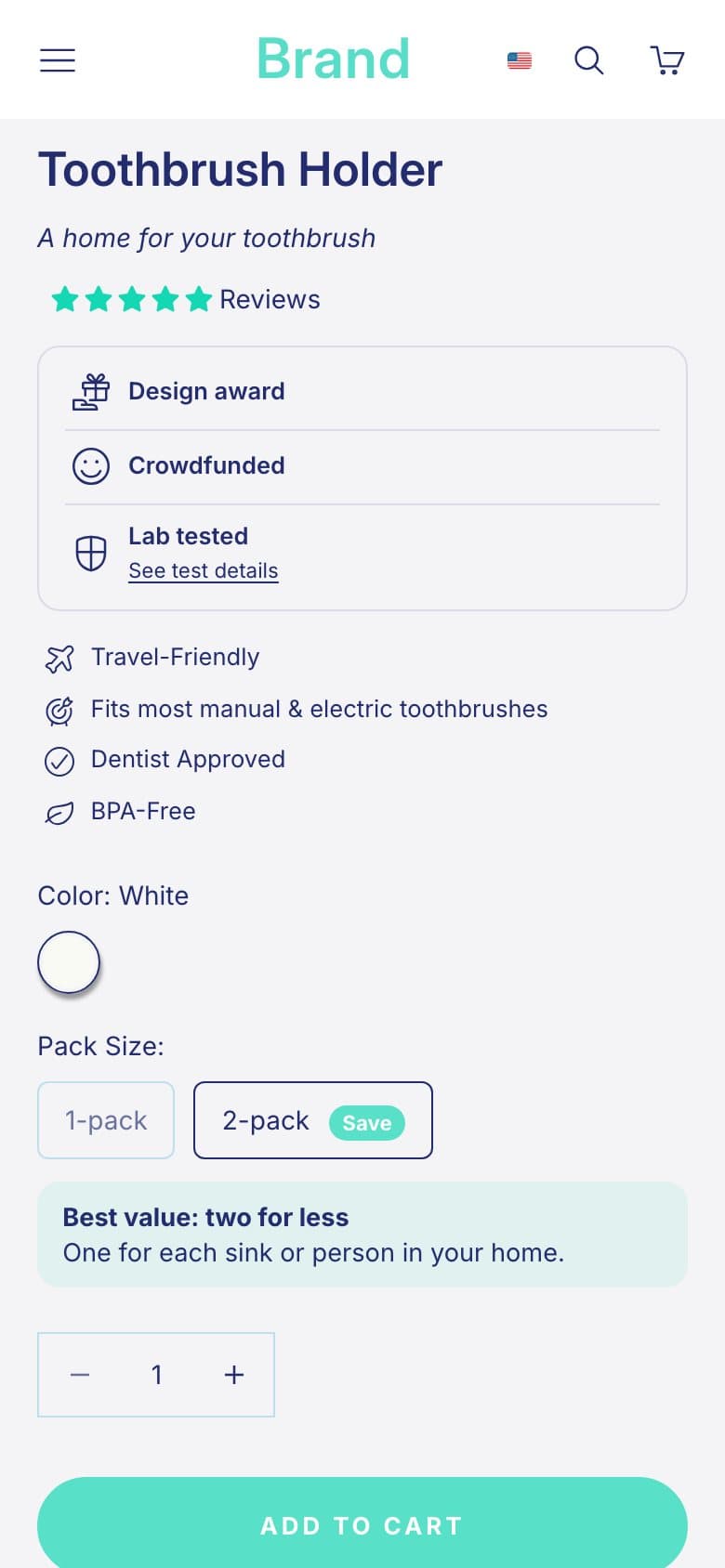
The same product page on a phone, with the pack choice and add to cart

The same buy box on a phone.

  1. 01 Source

    Creators pulled by niche and trend
  2. 02 Score

    Ranked on sales, reach and fit
  3. 03 Enrich

    A note on why each one fits
  4. 04 Split

    Two tracks, 50 a day, best first
  5. 05 Approve

    The owner signs off every batch
  6. 06 Send

    Weekdays at 17:00, rechecked live
  7. 07 Cap

    Daily limit, never sent twice
  8. 08 Failover

    A failed login stops the run
  9. 09 Track

    Each creator's stage in one place

Creator outreach on a schedule. Nothing sends until the owner signs off the batch, and a failed login stops the run instead of guessing.

What it is for
Getting real people to film the product, without anyone spending their week in direct messages.
What goes in
Creators who already sell in the category, ranked on sales, reach and fit, each with a note on why they suit the brand.
What comes out
A short, personal invite to each one on a weekday schedule, and every creator's stage tracked in one place.
Where the owner steps in
Once per batch. Nothing sends until the owner has read the list and the message and said yes.
The kind of creator video the pipeline is built to bring in. This one is from the brand's existing creator content, not a result of the outreach.

02 / Coaching platform

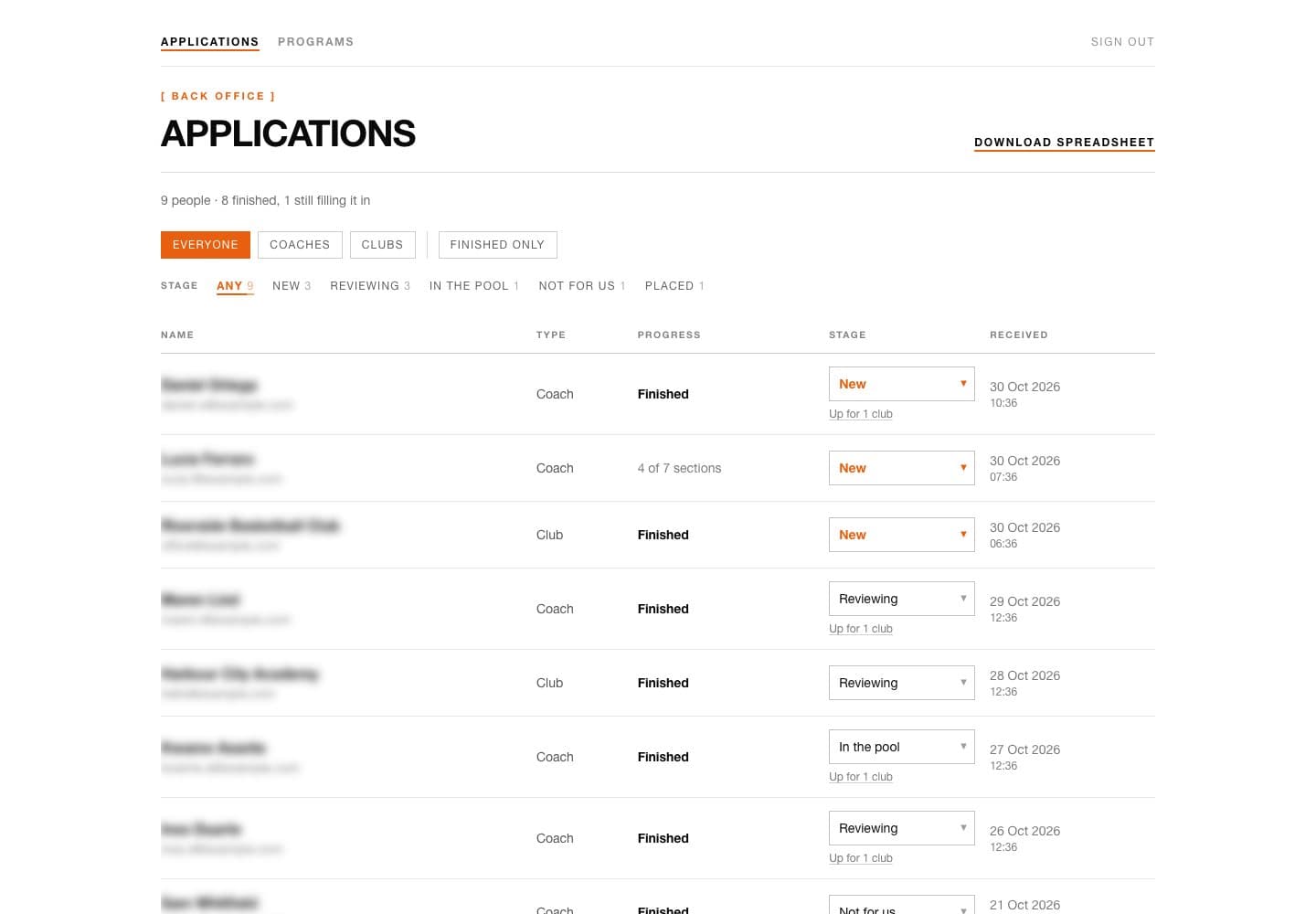
We built the founder a back office for every coach and club that applies, synced to a spreadsheet he can read at a glance, plus the shop, the newsletter and a weekly content system.

  • Application back office
  • Google Sheets sync
  • Course shop
  • Newsletter
  • Weekly content
A back office list of applications with type, progress, a stage picker per row and stage counts across the top

Every application in one list. Stages change from the row, the counts sit in the filters.

Reels drawn in code, cut to the founder's voice. 35 posts between 11 Sep and 30 Oct 2026.

They read with the sound off.

  1. 01 Apply

    Coaches and clubs fill in the questionnaire
  2. 02 Review

    New on top in the back office, with its stage
  3. 03 Sheet

    Rewritten every five minutes; edits save back

Each application lands in the back office and in a shared Google Sheet. Every five minutes the sheet rewrites from the back office, and a stage or note changed in the sheet saves back.

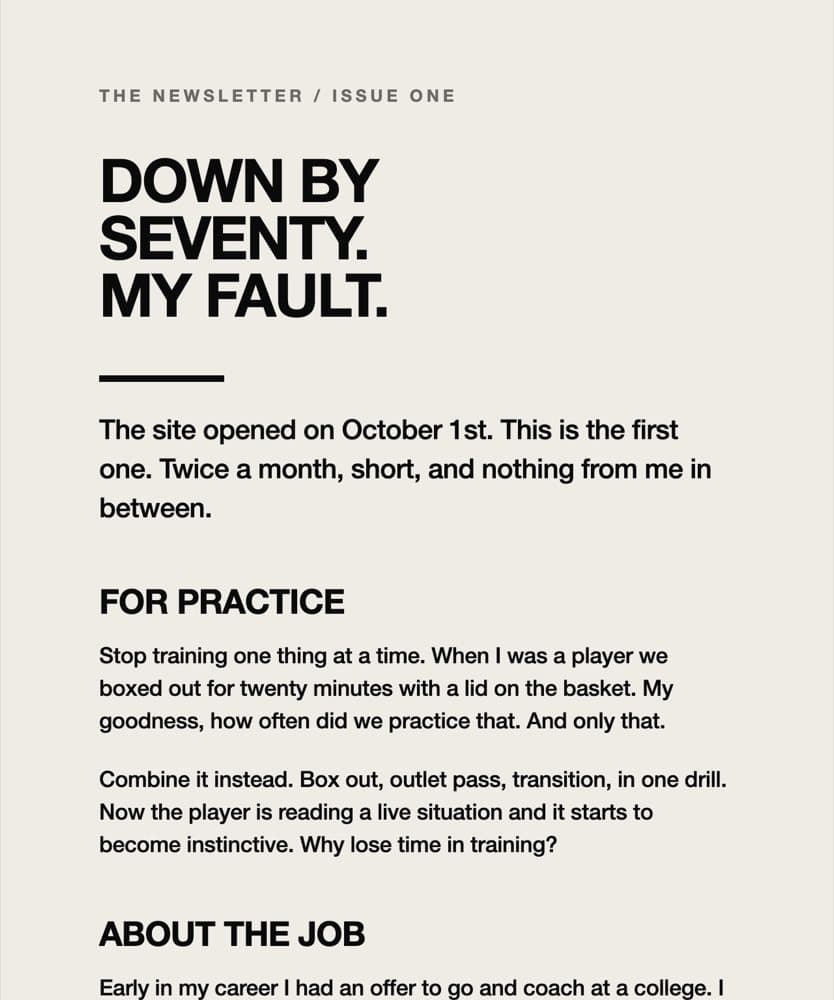
A plain newsletter headed: Down by seventy. My fault. Sections: for practice, about the job, a story

Newsletter issue one, sent 11 Oct 2026 after the founder's go-ahead.

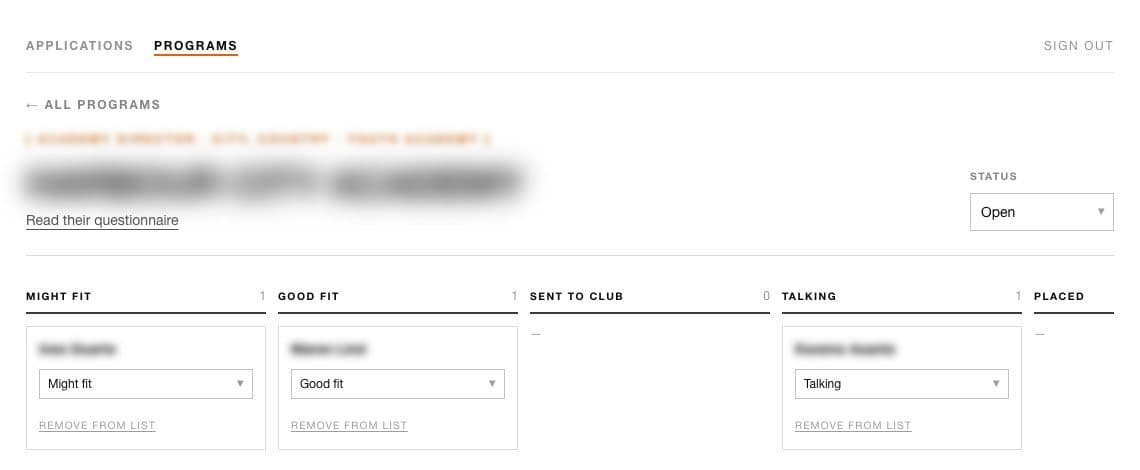
A club's open role with shortlisted coaches as cards across stages: might fit, good fit, sent to club, talking, placed

Matching coaches to a club's open role, stage by stage.

03 / Fitness brand

We built the booking, the member app and the weekly run club graphics for a group-training brand. People pick a session, leave their name and they’re in.

  • Booking and QR tickets
  • Member app
  • Health screening and consent
  • Run club graphics
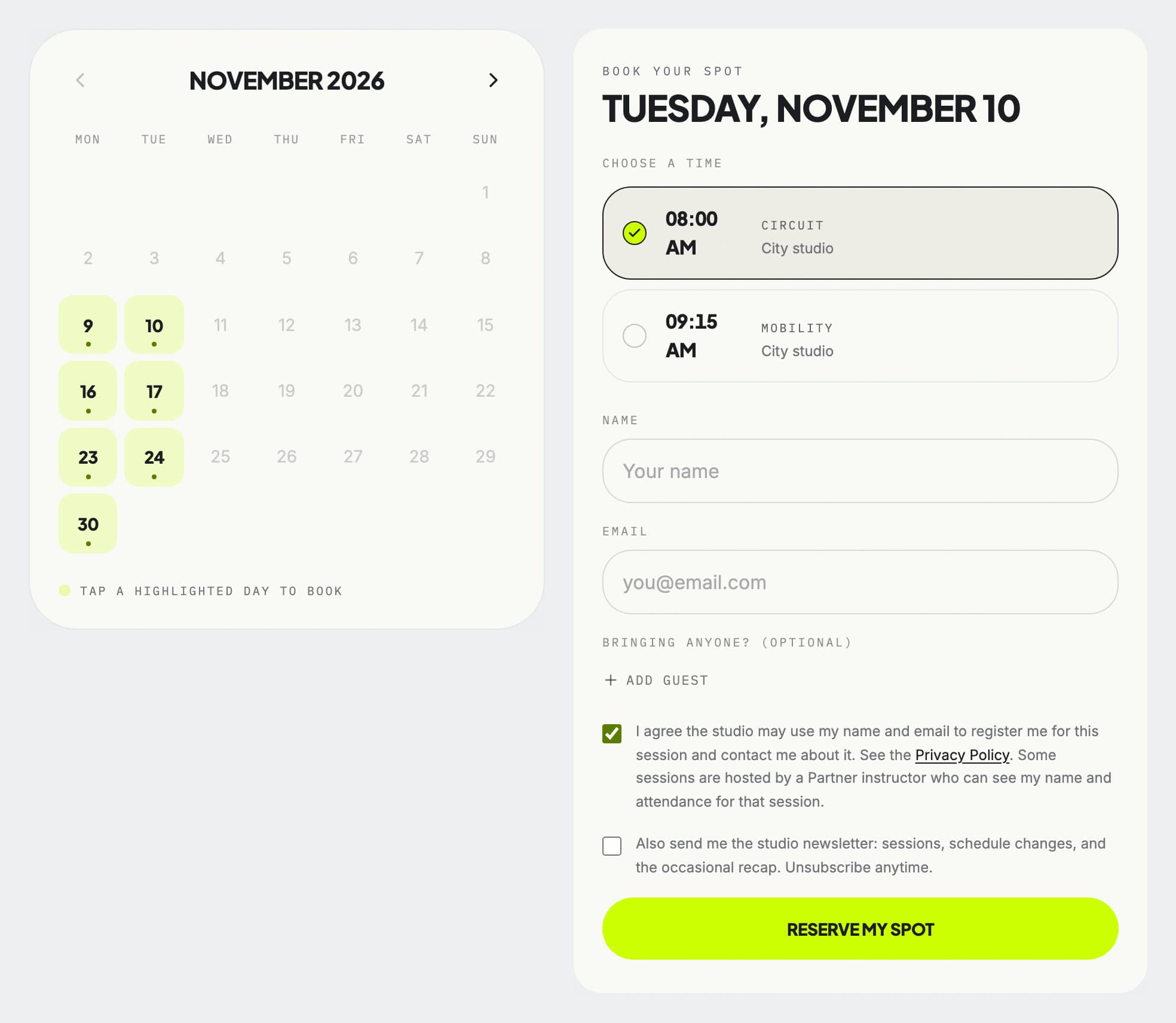
Two booking screens: a month calendar with session days highlighted, and a sheet for one day with two session times, name and email fields and a reserve my spot button

Pick a day, pick a time, leave a name. Public booking page, 4 Nov 2026.

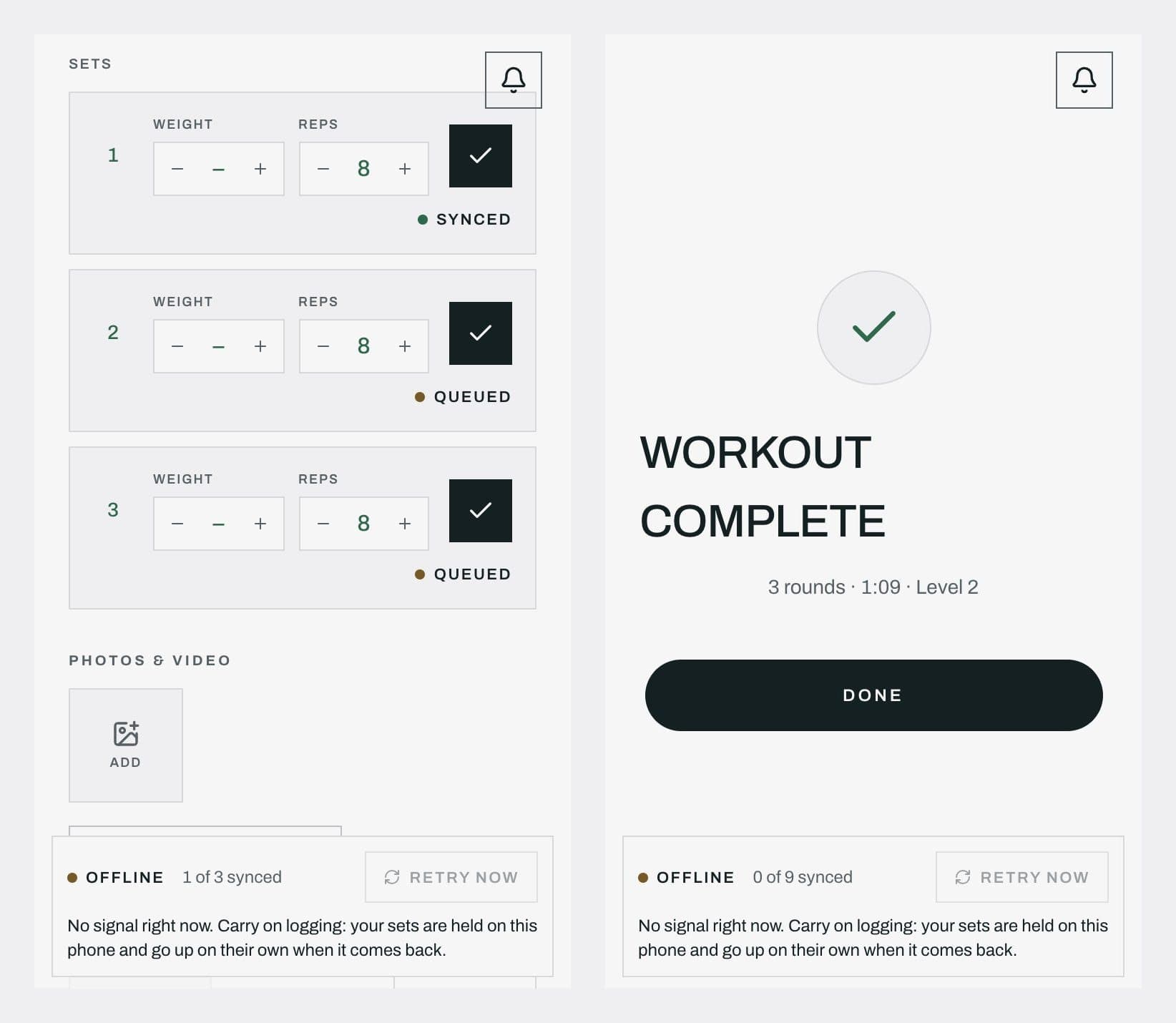
Two phone screens: sets logged with two waiting to sync, and a workout complete with nothing synced yet, both saying the sets will go up when the signal is back

The member app in a park with no signal. Sets wait on the phone and sync on their own. 327 checks, 0 failures, 16 Oct 2026.

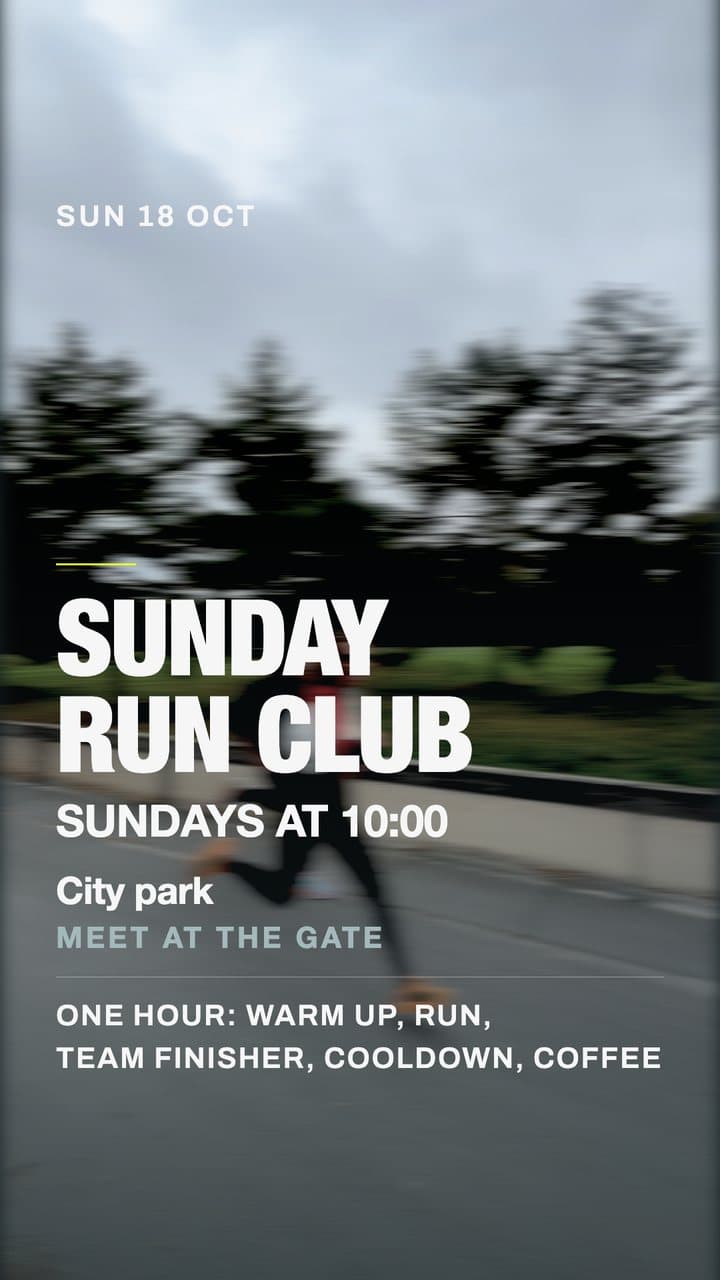
Sunday run club, 18 Oct 2026.

The route.

A story graphic: Sunday run club, Sundays at 10:00, meet at the gate, over a blurred runner

One template, a new set every week.

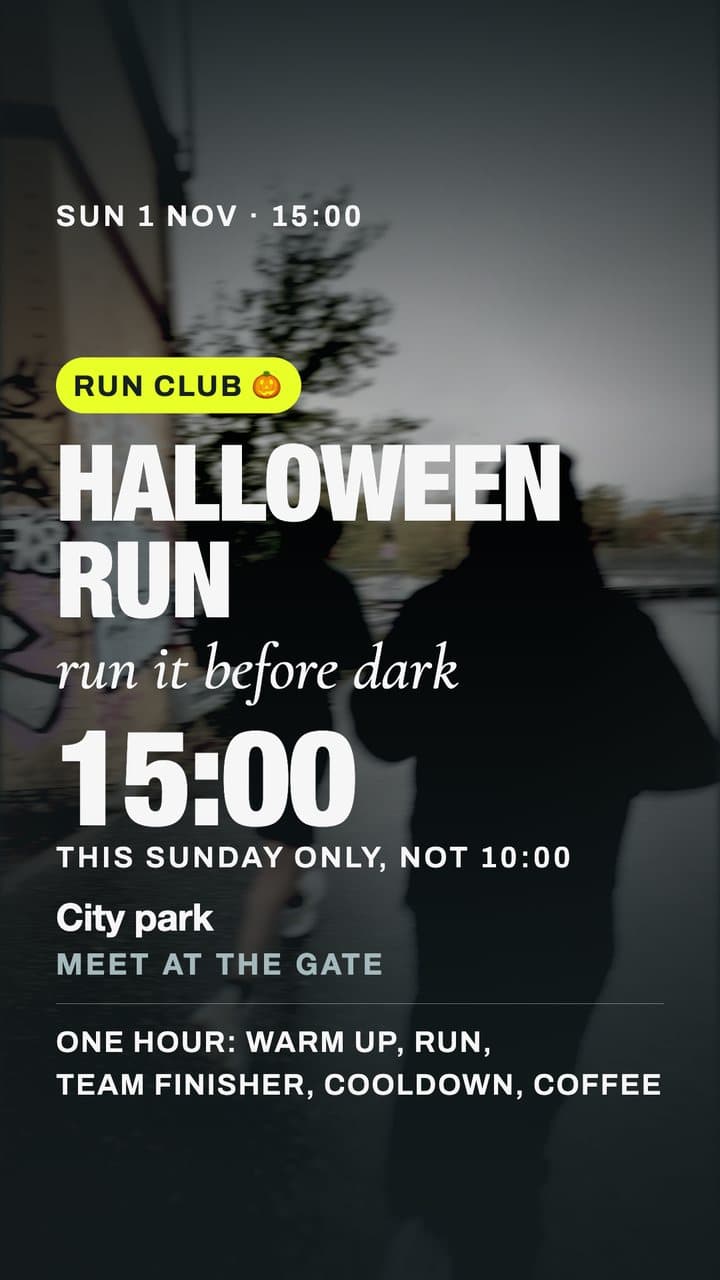
A story graphic: Halloween run, 15:00, this Sunday only

Four Sundays, 12 graphics, Oct to Nov 2026.

04 / Sports community platform

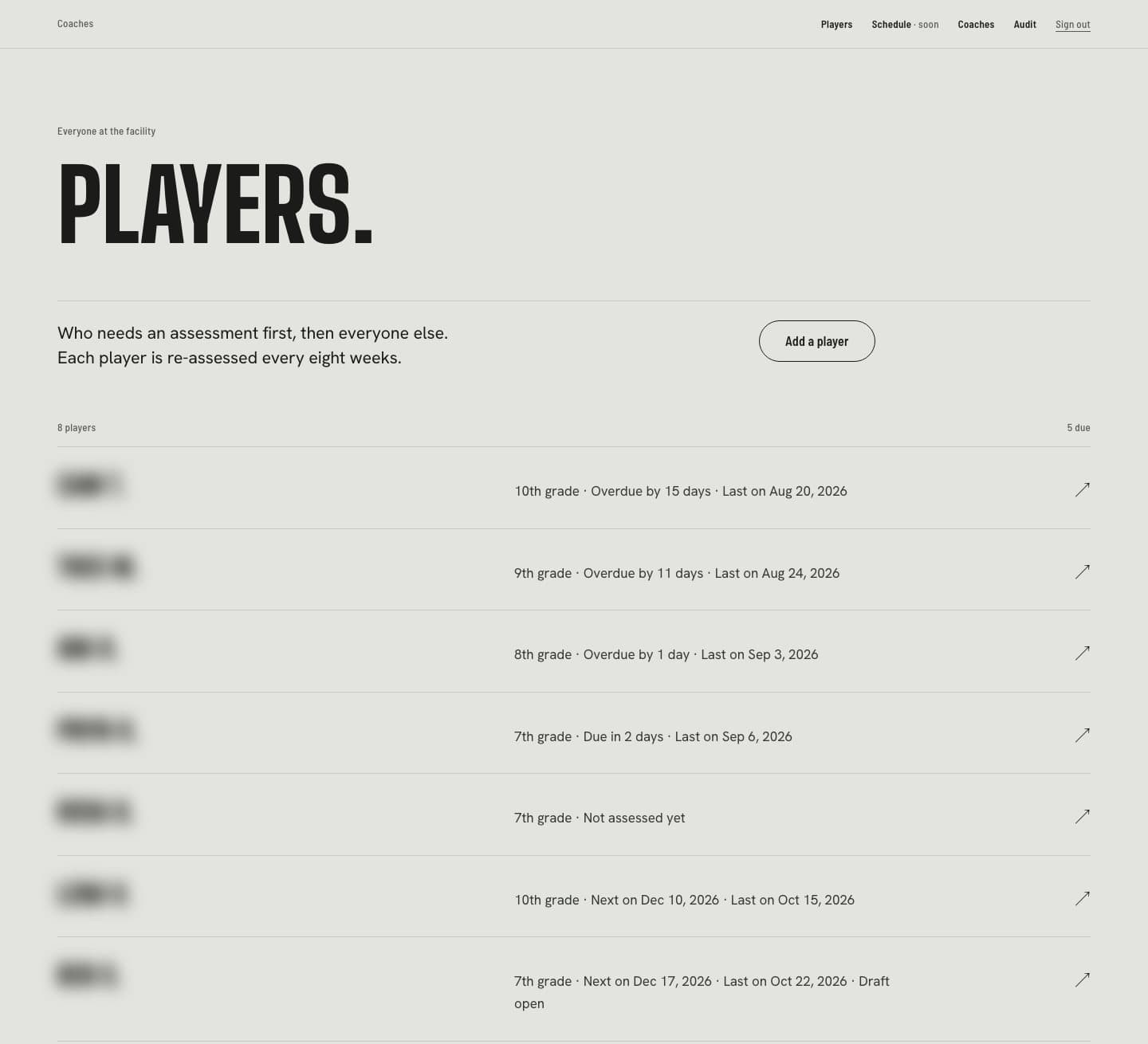
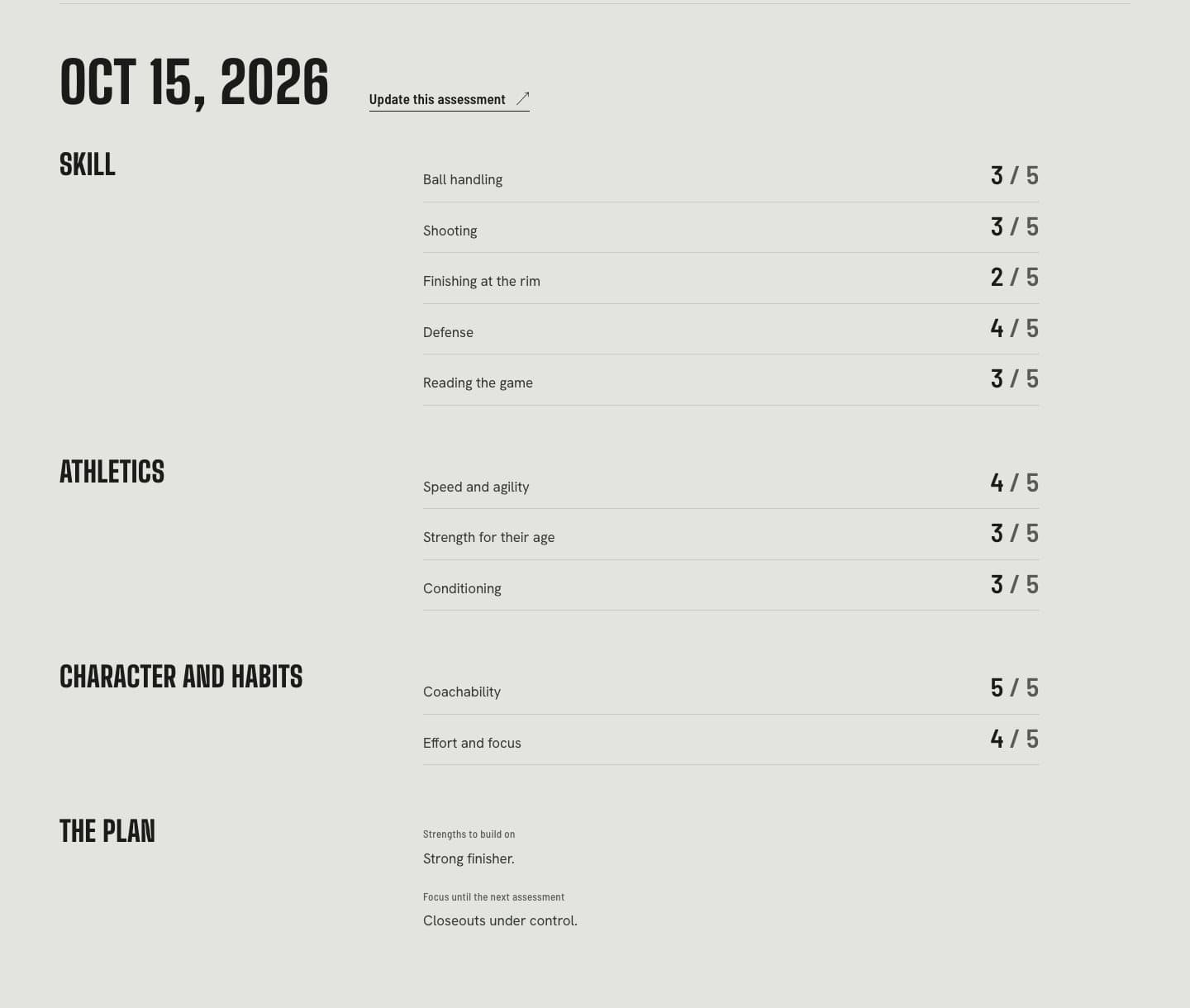
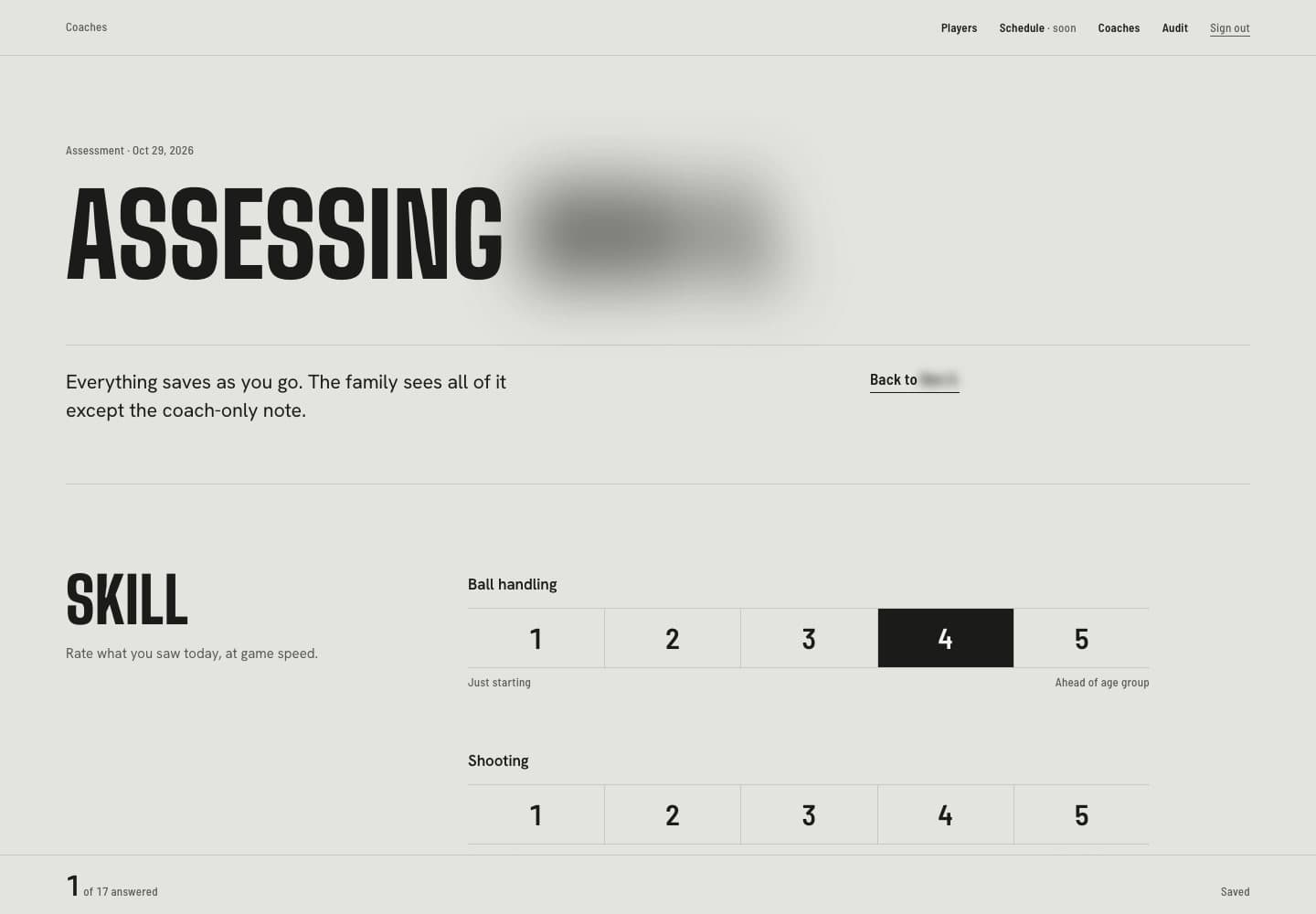
We built a private app where coaches see who is due, score each player on court in a few taps, and families open the report without an account.

  • Coach app
  • Access rules and audit log
  • Family reports
  • 15 emails
A list of players sorted by who is due for an assessment, the first three overdue

Who is due first. Every player is re-assessed every eight weeks.

A player's latest assessment as scored rows: skill, athletics, character and habits, the plan

A player's record, scored row by row.

An assessment form with a one to five rating rail and four selected

Scoring on court. Everything saves as you go.

Client names, marks and prices are swapped for placeholders, and people’s names are blurred. Names on request.